Finance
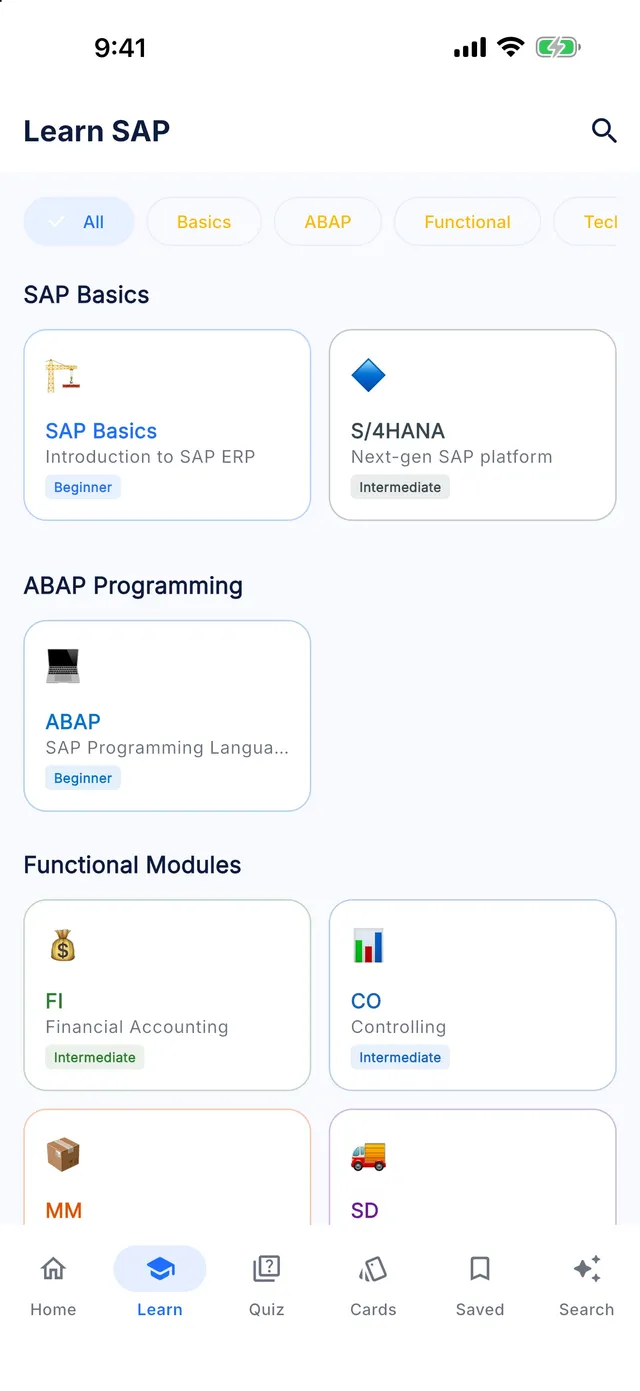
Learn SAP FI offline
Master SAP Financial Accounting — including General Ledger, Asset Accounting, Accounts Payable, Accounts Receivable, and Universal Journal configuration.
- 34 lessons
- 15 chapters
- 5 levels
- ~5 h of study
- 170 quiz questions
- 102 interview questions
Syllabus
What you will learn in SAP FI
01Enterprise Structure & Company Code
- Define Company Code & Global Settings
- Configure Enterprise Organization Units
02Fiscal Year Variant & Chart of Accounts
- Define Fiscal Year Variants
- Chart of Accounts Structure
- Field Status Groups & Posting Keys
03General Ledger & Document Posting
- General Ledger Master Records
- Journal Document Posting FB50
- Open Item Management & Clearing
04New GL & Universal Journal
- Document Splitting Configuration
- Universal Journal Table ACDOCA
- Parallel Ledgers & Accounting Principles
05Accounts Payable & Invoice Processing
- Vendor Master Data & Business Partners
- Accounts Payable Postings & OBYC
06Accounts Receivable & Collections
- Customer Master & Business Partners
- Customer Postings & Incoming Payments
07Asset Accounting
- Asset Classes & Depreciation Areas
- Asset Acquisitions & Retirements
08Bank Accounting & House Banks
- House Banks & G/L Integration
- Electronic Bank Statement (EBS)
09Payment Program & Dunning
- Automatic Payment Program F110
- Dunning Configuration & Runs
10Tax Configuration
- Define Tax Codes & Input/Output Tax
- Withholding Tax (TDS) Setup
11Closing Activities & Financial Statements
- Period End Closing Activities
- Financial Statement Version (FSV)
- Foreign Currency Valuation
12Credit Management & Reporting
- Credit Control Areas & S/4HANA FSCM
- Financial Reporting & Analytics
13Integration with MM & SD & CO
- Logistics Integration Points & OBYC
- SD Integration & Account Determination (VKOA)
14S/4HANA Finance Changes & Migration
- S/4HANA Finance Technical Changes
- Migration Considerations & Central Finance
15Production Support & Real Projects
- Common Production Support Tickets
- Real-World Project Implementation Case Study
Free sample
Try a lesson: Define Company Code & Global Settings
Create a company code by copying a template, maintain its basic data and global parameters, and link it to a company, chart of accounts and fiscal year variant.
You will be able to
- Explain why the company code is the central organizational unit of Financial Accounting
- Create a company code with the copy function and maintain its address, country and currency
- Maintain the key global parameters in OBY6 and assign the chart of accounts and fiscal year variant
- Describe how S/4HANA ledger and currency settings extend the classic company code setup
Key concepts
- Company code
- The smallest organizational unit in FI for which a complete, independent set of books, including balance sheet and income statement, can be produced.
- Company code currency
- The local currency in which the company code keeps its legal books. It is currency type 10 in the S/4HANA ledger settings.
- Global parameters
- The company-code-level settings in OBY6, such as chart of accounts, fiscal year variant, field status variant and posting period variant, that control how postings behave.
Real business example
A Dutch food company acquires a small Belgian distributor and must run it in the existing SAP S/4HANA system from the first day of the next fiscal year. The distributor reports in EUR, follows the same calendar fiscal year as the group and must keep Belgian statutory account numbers for its local filing.
The FI consultant copied company code 'BE01' from the Belgian localization template with EC01, then set its name, address and EUR currency in OX02. In OBY6 the group chart of accounts became the operational chart and the Belgian chart was entered as country chart of accounts. The company code shares the group fiscal year variant and posting period variant, was assigned to the group's company in OX16 and to ledger 0L with group currency in the ledger settings.
Quick quiz
Which transaction maintains the global parameters of a company code, such as field status variant and posting period variant?
Show answer
B. OBY6
OBY6 maintains the company code global parameters. OX02 only edits basic data such as name, country and currency, which makes it a tempting choice, while OB52 opens and closes periods and OX16 assigns the company code to a company.
Interview question
What is a company code, and how does it differ from a company?
Show model answer
A company code is the smallest unit in FI for which you can produce a complete set of legal books: balance sheet, income statement and the tax reporting for one legal entity. Every journal entry carries the company code, and its currency is the local currency. A company is the higher-level unit used for consolidation and intercompany relationships. Several company codes can be assigned to one company, for example when a legal entity has branches in two countries that each need their own books. The company also acts as the trading partner on intercompany postings, which helps eliminate intercompany balances in group reporting. In short, the company code is where postings live, and the company is how you group them for the consolidated view.
That was 1 of 34 lessons. Get the rest in the app.
Preparing for C_TS4FI?
SAP Certified - SAP S/4HANA Cloud Private Edition, Financial Accounting. Covers core configuration skills in SAP S/4HANA Financial Accounting: general ledger, payables, receivables, payment runs and asset accounting. The Certification Center in the app maps the exam topics to the lessons that cover them.
T-codes
Key SAP FI T-codes
SAP FI: common questions
How long does it take to learn SAP FI?
The SAP FI module in Learn SAP has 34 lessons totalling about 5 hours of reading. At two or three lessons a day, most learners finish it in four to eight weeks, plus time for hands-on practice in a real system.
Can a beginner learn SAP FI?
Yes. The module starts at beginner level and builds up over 5 levels (14 advanced, 11 intermediate, 8 beginner, 1 expert lessons). Each lesson explains the concept, shows a real business example and ends with a quiz.
Is the SAP FI course free?
The free version of Learn SAP includes the first half of the levels in every module, including SAP FI. Premium unlocks every level, the Interview and Certification Centers and the full T-code and table libraries.
Does the SAP FI module work offline?
Yes. Every lesson, quiz and reference table is stored on your phone, so you can study without an internet connection.
Keep going
More SAP modules
Learn SAP is an independent educational app. It is not affiliated with, endorsed by or sponsored by SAP SE, and it is not official SAP training. SAP, S/4HANA, Fiori, ABAP and other SAP product names are trademarks or registered trademarks of SAP SE in Germany and other countries.