Development
Learn SAP ABAP offline
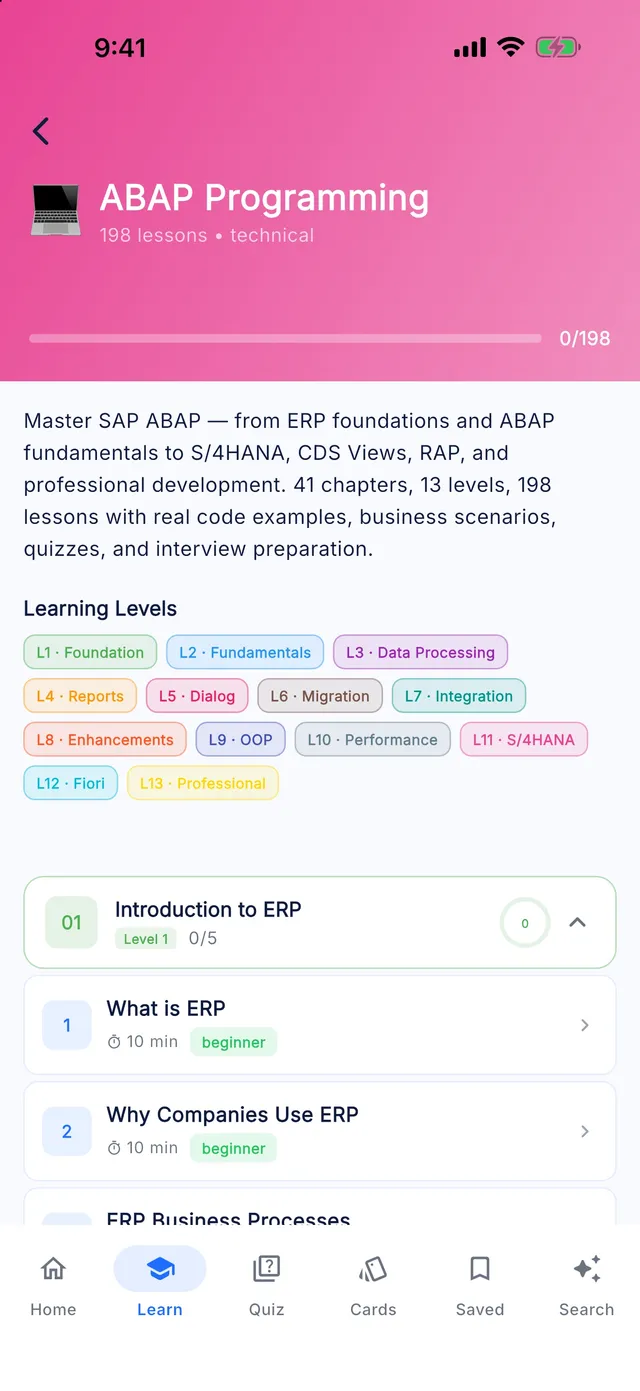
Master SAP ABAP — from ERP foundations and ABAP fundamentals to S/4HANA, CDS Views, RAP, and professional development. Lessons include code examples, business scenarios, quizzes and interview questions.
- 204 lessons
- 41 chapters
- 13 levels
- ~34 h of study
- 1020 quiz questions
- 612 interview questions
Syllabus
What you will learn in SAP ABAP
01Introduction to ERP
- What is ERP
- Why Companies Use ERP
- ERP Business Processes
- ERP Benefits
- ERP vs Traditional Software
02Introduction to SAP
- What is SAP
- SAP History
- SAP Products
- SAP Ecosystem
- SAP Career Paths
- SAP Consultant Types
- SAP Implementation Overview
03SAP Architecture
- SAP System Landscape
- Development System
- Quality System
- Production System
- Three Tier Architecture
- SAP Servers
- SAP Work Processes
- SAP Client Concept
04SAP Navigation
- SAP GUI
- SAP Easy Access
- Transaction Codes
- Favorites
- User Profiles
- Sessions
- Display and Change Modes
- SAP Menu
05ABAP Introduction
- What is ABAP
- ABAP History
- ABAP Runtime Environment
- ABAP Workbench Overview
- ABAP Development Lifecycle
- ABAP Development Tools (ADT) in Eclipse
- ABAP Cloud and Clean Core Extensibility
06ABAP Dictionary
- Data Dictionary Overview
- Domains
- Data Elements
- Tables
- Structures
- Views
- Search Helps
- Lock Objects
07ABAP Programming Basics
- Program Structure
- Variables
- Constants
- Data Types
- Operators
- Comments
- Naming Standards
- Best Practices
08Control Statements
- IF
- CASE
- DO
- WHILE
- LOOP
- Nested Logic
- Conditional Processing
09Internal Tables
- Internal Table Basics
- Standard Tables
- Sorted Tables
- Hashed Tables
- Table Operations
- Performance Considerations
10Open SQL
- Database Access
- SELECT
- INSERT
- UPDATE
- DELETE
- JOIN
- Aggregate Functions
- Open SQL Performance
11Modularization
- Includes
- Subroutines
- Function Modules
- Function Groups
- Modular Design
12Classical Reports
- Report Events
- Selection Screen
- Lists
- Formatting
- Interactive Reports
13ALV Reports
- ALV Overview
- Grid ALV
- Object-Oriented ALV
- ALV Best Practices
- ALV Performance
14SmartForms
- SmartForms Architecture
- Form Design
- Windows
- SmartForms Tables
- Graphics
- Printing
15SAP Scripts
- SAP Script Basics
- Layout Sets
- Text Elements
- Printing Process
16Module Pool Programming
- Screen Programming
- Screen Painter
- Flow Logic
- PBO
- PAI
- Table Controls
17Menu Painter
- Menus
- Toolbars
- GUI Status
- GUI Title
18BDC
- Batch Data Communication
- Session Method
- Call Transaction Method
- Error Handling
19LSMW
- Legacy Data Migration
- Object Creation
- Mapping
- Conversion Rules
- S/4HANA Migration Cockpit for Developers
20RFC
- RFC Basics
- Types of RFC
- Remote Communication
- RFC Security
21BAPI
- BAPI Overview
- BOR Business Objects
- Standard BAPI
- Custom BAPI
22IDoc
- ALE
- IDoc Structure
- Message Types
- Processing Flow
23User Exits
- User Exit Concepts
- CMOD
- SMOD
- Implementation
24Customer Exits
- Customer Enhancements
- Projects
- Activation
25BADI
- Classic BADI
- New BADI
- Filters
- Multiple Implementations
26Enhancement Framework
- Explicit Enhancements
- Implicit Enhancements
- Enhancement Spots
27OOP Fundamentals
- Classes
- Objects
- Attributes
- Methods
- Encapsulation
28Advanced OOP
- Inheritance
- Polymorphism
- Interfaces
- Events
- Exceptions
29Design Patterns
- Singleton
- Factory
- MVC Pattern in ABAP
- SAP Usage
30Performance Optimization
- Runtime Analysis
- SQL Optimization
- Internal Table Optimization
- Memory Management
- ABAP Test Cockpit and Code Quality Checks
31Debugging
- Debugger Basics
- Breakpoints
- Watchpoints
- Troubleshooting
- ABAP Unit Testing
32HANA Fundamentals
- SAP HANA Overview
- In-Memory Computing
- HANA Architecture
33CDS Views
- CDS Concepts
- Annotations
- Associations
- Consumption Views
34AMDP
- AMDP Basics
- SQLScript
- AMDP Performance
35OData Services
- OData Overview
- Gateway
- Service Creation
- CRUD Operations
36RAP
- RAP Architecture
- RAP Business Objects
- Behavior Definitions
- Service Bindings
- RAP Behavior Implementation and Fiori Elements Preview
37SAP Fiori Overview
- Fiori Concepts
- UX Principles
- Launchpad
38SAPUI5 Overview
- MVC in SAPUI5
- Views
- Controllers
- Models
39ABAP Project Lifecycle
- Requirement Gathering
- Functional Specifications
- Technical Specifications
- Development
- Testing
- Deployment
40SAP Transport Management
- Transport Requests
- Transport Release Process
- Transport Import Process
41SAP Security Basics
- Authorization Concepts
- Roles
- Profiles
Free sample
Try a lesson: What is ERP
Explain what an ERP system is, how its modules share one database, and why that design shapes every program an ABAP developer writes.
You will be able to
- Define Enterprise Resource Planning (ERP) and name the business areas a typical ERP suite covers
- Explain how a shared database and shared master data let one business event update several departments
- Distinguish master data, transactional data and configuration data with an example of each
- Match common SAP modules to the departments and documents they handle
Key concepts
- Enterprise Resource Planning (ERP)
- A suite of integrated business applications that share one database and one set of master data, so each business event is recorded once and visible to every department.
- Module
- A functional area of an ERP suite, such as FI, MM or SD, with its own documents and rules but the same underlying database as all other modules.
- Master data
- Long-lived records such as customers, suppliers and materials that many transactions refer to. Errors in master data spread into every document that uses it.
Real business example
A furniture maker ran separate tools for orders, stock and accounting. Sales promised delivery dates based on a stock list printed the evening before, and the finance team spent the first week of every month matching shipped quantities against invoices. Customers regularly received confirmations for chairs that had already been sold to someone else.
In an ERP system, the sales clerk's availability check reads the same stock record the warehouse updates with every goods movement, so promises reflect actual stock. When the warehouse posts the goods issue, the system creates the material document and the accounting entry together, and the order appears in the billing due list. Month-end matching shrinks to reviewing exceptions instead of rebuilding the numbers by hand.
Quick quiz
Which feature most clearly separates an ERP system from a set of departmental applications?
Show answer
B. All modules share one database and one set of master data
The defining trait of ERP is a shared database and shared master data, so a record entered once is visible everywhere. Separate databases per department is exactly the situation ERP replaces, and deployment model or pricing has nothing to do with the definition.
Interview question
What is ERP, and what does integration mean in practice?
Show model answer
ERP is a suite of business applications, such as finance, purchasing, sales, production and HR, that run on one shared database with shared master data and one organizational structure. Integration means a single business event updates every area it affects in the same transaction. For example, a goods issue for a delivery reduces stock, posts the inventory and cost of goods sold entries in accounting, assigns the cost in controlling and moves the order status on to billing. Nobody re-keys data or runs a reconciliation interface. For a developer this matters because standard tables are linked: if I change one area without the standard logic, I break the consistency that finance and auditors depend on.
That was 1 of 204 lessons. Get the rest in the app.
Preparing for C_ABAPD?
SAP Certified - Backend Developer - ABAP Cloud (Beta Version). Covers core ABAP and building applications with the ABAP RESTful Application Programming Model (RAP), including the use of Joule for developers. The exam is a hands-on task in your own Eclipse with ABAP Development Tools. The Certification Center in the app maps the exam topics to the lessons that cover them.
T-codes
Key SAP ABAP T-codes
SAP ABAP: common questions
How long does it take to learn SAP ABAP?
The SAP ABAP module in Learn SAP has 204 lessons totalling about 34 hours of reading. At two or three lessons a day, most learners finish it in four to eight weeks, plus time for hands-on practice in a real system.
Can a beginner learn SAP ABAP?
Yes. The module starts at beginner level and builds up over 13 levels (62 intermediate, 53 beginner, 51 advanced, 38 expert lessons). Each lesson explains the concept, shows a real business example and ends with a quiz.
Is the SAP ABAP course free?
The free version of Learn SAP includes the first half of the levels in every module, including SAP ABAP. Premium unlocks every level, the Interview and Certification Centers and the full T-code and table libraries.
Does the SAP ABAP module work offline?
Yes. Every lesson, quiz and reference table is stored on your phone, so you can study without an internet connection.
Keep going
More SAP modules
Learn SAP is an independent educational app. It is not affiliated with, endorsed by or sponsored by SAP SE, and it is not official SAP training. SAP, S/4HANA, Fiori, ABAP and other SAP product names are trademarks or registered trademarks of SAP SE in Germany and other countries.